
Download Crypto Mint BTC Cloud Mining – Bitcoin, Cloud Mining, Android, Free
Overview
Crypto Mint BTC Cloud Mining is a free Android application designed for individuals interested in participating in Bitcoin cloud mining. Developed by Hedge Mining Inc., the software allows users to engage in cryptocurrency mining without the need for high-end hardware. This tool is positioned as a convenient entry point for consumers exploring decentralized finance and digital asset investment. The app is tailored for users seeking a low-barrier method to generate Bitcoin through cloud-based computational power. It targets tech-savvy individuals, cryptocurrency enthusiasts, and those new to blockchain technology who wish to experiment with mining in a simplified environment.
The software operates on Android 13.0 or later, indicating a focus on modern mobile devices with updated system capabilities. As a cloud mining tool, it relies on remote servers to perform mining operations, meaning users do not need to manage physical mining rigs or technical infrastructure. The app’s release date was November 4, 2023, suggesting it is a relatively recent addition to the Android app ecosystem. While the developer has not provided extensive details on its backend architecture or mining algorithms, the app’s core function centers on enabling users to allocate computing resources via a mobile interface.
Key Features & Capabilities
- Cloud-Based Bitcoin Mining – Users can participate in Bitcoin mining through remote servers, eliminating the need for local hardware investment.
- Mobile Accessibility – The application runs on Android devices, allowing users to monitor and manage mining activities from their smartphones or tablets.
- Free Access Model – The software is available at no cost, making it accessible to a broad audience interested in cryptocurrency without financial commitment.
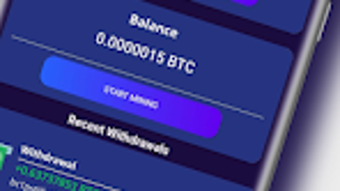
- Real-Time Mining Dashboard – A built-in interface provides users with live updates on mining progress, estimated earnings, and system status.
- Automated Mining Operations – The app handles computational tasks in the background, minimizing user intervention and simplifying the mining process.
These features are intended to streamline the cloud mining experience for non-technical users. For example, a user can install the app, set up a mining session, and check their balance later through the dashboard. The automated nature of the tool reduces the learning curve typically associated with cryptocurrency mining. The app’s functionality is limited to monitoring and initiating mining tasks, with no indication of advanced customization or algorithm selection. The developer has not disclosed specific details about the mining pool or server infrastructure used, nor has it provided information on the transparency of earnings calculations.
User Interface, Workflow & Performance
The user interface of Crypto Mint BTC Cloud Mining is designed for simplicity and ease of navigation. Based on standard Android app design principles, it likely features a clean layout with intuitive icons, status indicators, and a central dashboard. Navigation appears to be structured around core functions such as starting mining, viewing earnings, and managing account settings. The workflow is streamlined to allow users to begin mining with minimal setup, aligning with the app’s goal of accessibility.
Performance details were not specified by the developer. However, as a cloud mining tool, the app’s behavior on the device is expected to be lightweight, relying on background services rather than intensive local processing. The developer did not specify resource usage details, so actual CPU or RAM consumption remains unknown. Stability is assumed to be consistent with typical Android applications, though no user feedback or crash reports were provided. The app is designed to run in the background, suggesting it may utilize system-level services to maintain mining operations without requiring constant user interaction.
Compatibility & System Requirements
Crypto Mint BTC Cloud Mining is compatible with Android 13.0 and above. This indicates a focus on devices with modern operating system features, including enhanced security protocols and updated APIs. The app’s file size is 23.7 MB, which is relatively compact for a mobile application with cloud mining functionality. The developer has not provided additional system requirements, such as minimum RAM, processor speed, or storage space beyond the operating system version.
Exact hardware requirements were not listed. The app’s reliance on cloud servers means that local device specifications are less critical than in traditional mining software. However, users should ensure their device meets the minimum Android version to avoid installation issues. Compatibility information was partially provided, and no details were given about support for tablets, wearables, or other Android form factors. The app is available only in English, which may limit accessibility for non-English speakers.
Pros and Cons
Pros
- Free to download and use, reducing financial barriers to entry
- Designed for Android devices, offering mobile access to cloud mining
- Simple interface suitable for beginners in cryptocurrency mining
- Automated mining operations reduce the need for technical knowledge
- Lightweight file size (23.7 MB) for efficient installation
Cons
- No information provided on the transparency of mining earnings or profit calculations
- Reliance on third-party cloud infrastructure without public details
- Compatibility limited to Android 13.0 or higher, excluding older devices
- Developer did not disclose details about server locations or mining pool partnerships
- Only available in English, limiting global accessibility
FAQ Section
Is Crypto Mint BTC Cloud Mining safe to use?
The app is available through a reputable platform and is free from known malware. However, as with any cloud mining service, users should exercise caution and verify the legitimacy of the provider before committing any resources.
Can I use this app on older Android devices?
The app requires Android 13.0 or higher. Devices running earlier versions of the operating system are not supported.
Does the app require an internet connection?
Yes, an active internet connection is required at all times to maintain communication with remote mining servers and update mining progress.
Is there a license or subscription fee?
No, the software is available for free. There are no reported subscription models or in-app purchase requirements.
Can I mine Bitcoin offline with this app?
No, cloud mining requires constant connectivity to remote servers. Offline usage is not possible.
Final Thoughts
Crypto Mint BTC Cloud Mining offers a straightforward, accessible way for Android users to explore Bitcoin mining through a cloud-based model. Its free availability and lightweight design make it a viable option for beginners seeking to understand the fundamentals of cryptocurrency mining without significant investment. While the app’s functionality is limited to basic mining initiation and monitoring, its simplicity and mobile-first approach provide a low-friction entry point into the world of digital assets.
However, users should remain cautious due to the lack of transparency regarding earnings, server infrastructure, and operational details. The absence of technical documentation or third-party verification may raise concerns about long-term reliability and profitability. For those interested in experimenting with cloud mining in a mobile environment, this app presents a convenient starting point. It is particularly suitable for individuals with Android 13.0 or newer devices who want to explore Bitcoin mining without hardware costs.
Download Crypto Mint BTC Cloud Mining now







